
The Settings tab controls every business rule of your PrestaShop ↔ eBay synchronization.
1. Multi-Marketplace, Item Location, Seller Hub Policies, Pricing & Stock
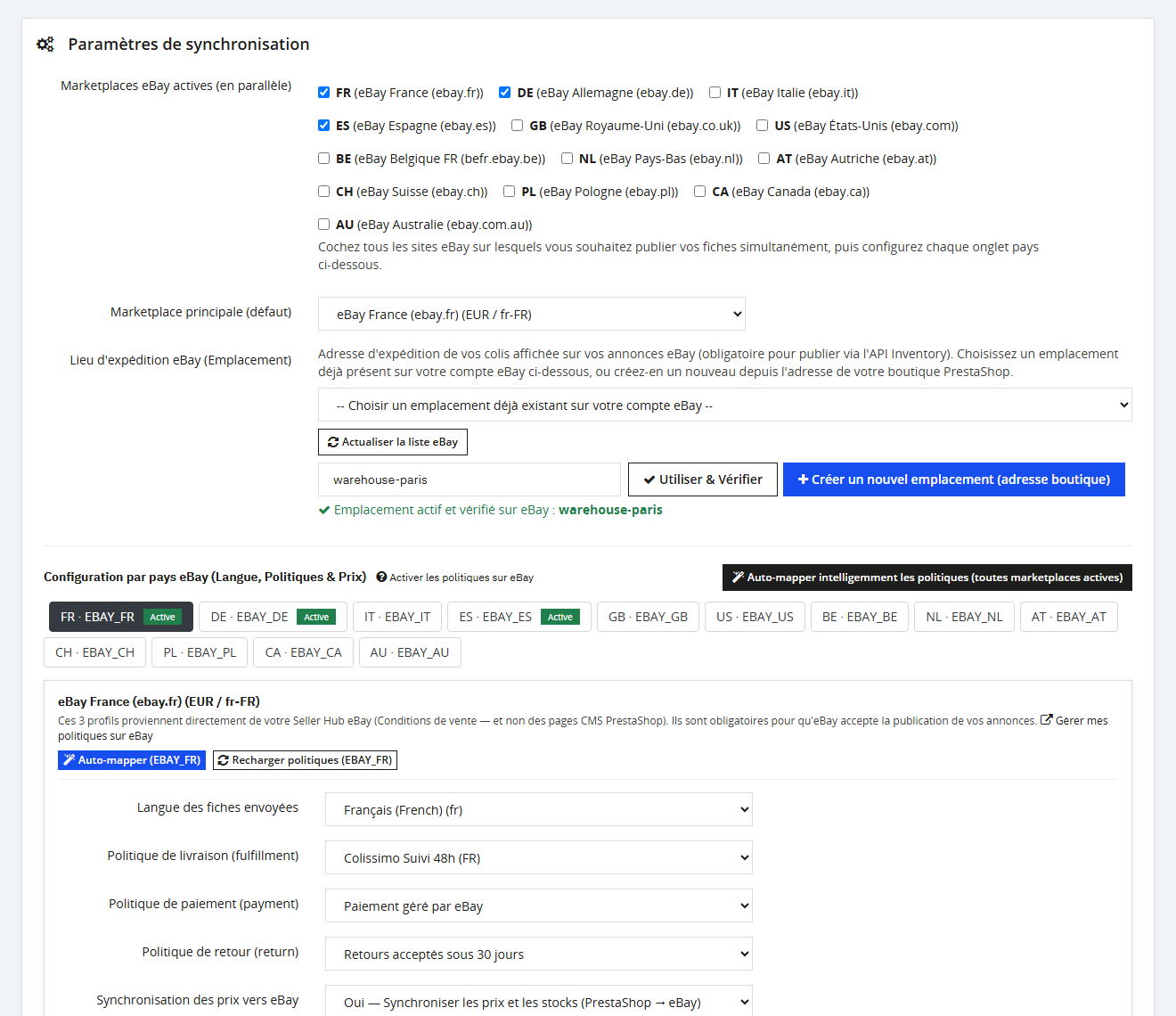
- Active eBay Marketplaces (in parallel): publish simultaneously to
EBAY_US,EBAY_GB,EBAY_FR,EBAY_DE,EBAY_ES,EBAY_IT,EBAY_BE,EBAY_NL,EBAY_AT,EBAY_CH,EBAY_PL,EBAY_CA, andEBAY_AU. - eBay Item Location: select an existing warehouse from your eBay account, click Use & Verify, or click Create new location (store address) to create one from your PrestaShop store address in one click.
- Per-Country Configuration: choose the listing language, click Smart auto-map business policies to auto-select your Seller Hub Shipping/Payment/Return policies, and configure pricing:
Yes — Sync prices and stock: formula(PrestaShop Tax-Incl. Price × Multiplier) + Fixed Markupwith optional.90or.99rounding.No — Stock only: keeps quantities synced without overwriting prices already set on eBay.
- Stock Buffer & Cap: deduct a safety buffer to prevent overselling and cap the maximum stock shown on eBay (
0= unlimited). Enable eBay's Out-of-stock control in Seller Preferences so zero-stock listings remain active.
2. Orders, Anti-Double-Shipping, Carriers & EU GPSR
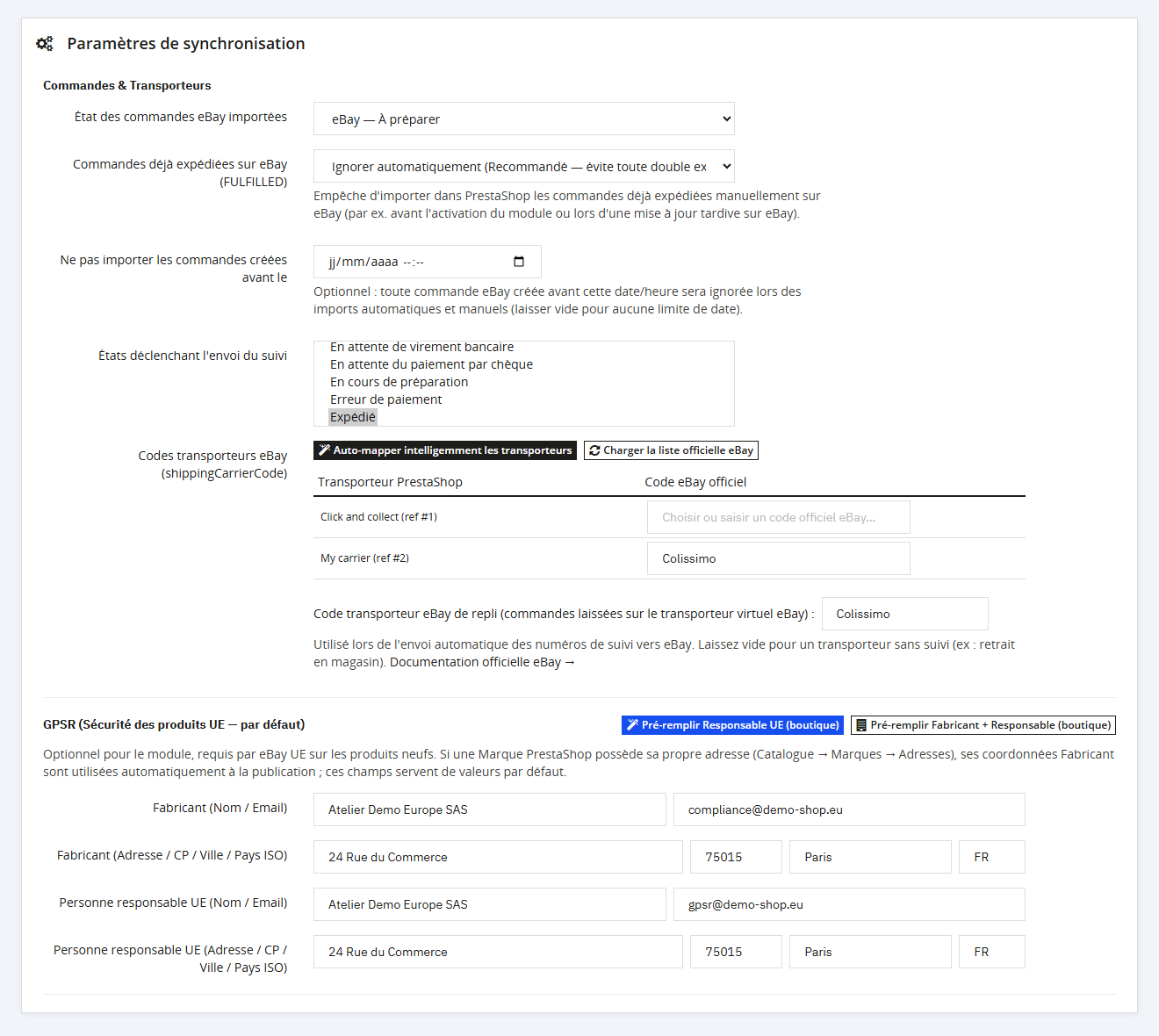
- Imported Order Status & Cutoff Protection: assigns your chosen status (
eBay — To prepare), automatically skips orders already markedFULFILLEDon eBay to avoid double shipping, and supports an optional cutoff date/time. - Tracking & Smart Carrier Auto-Mapping: choose which PrestaShop statuses trigger tracking upload, load eBay's official
shippingCarrierCodelist, and click Smart auto-map carriers to map all PrestaShop carriers automatically (+ fallback carrier code). - EU GPSR Product Safety: 1-click pre-fill buttons load your store details as default Manufacturer / EU Responsible Person. If a PrestaShop Brand has its own address, its Manufacturer details are automatically prioritized on publish.
3. AI Smart Mapping (Gemini / OpenAI) & Exclusion Rules
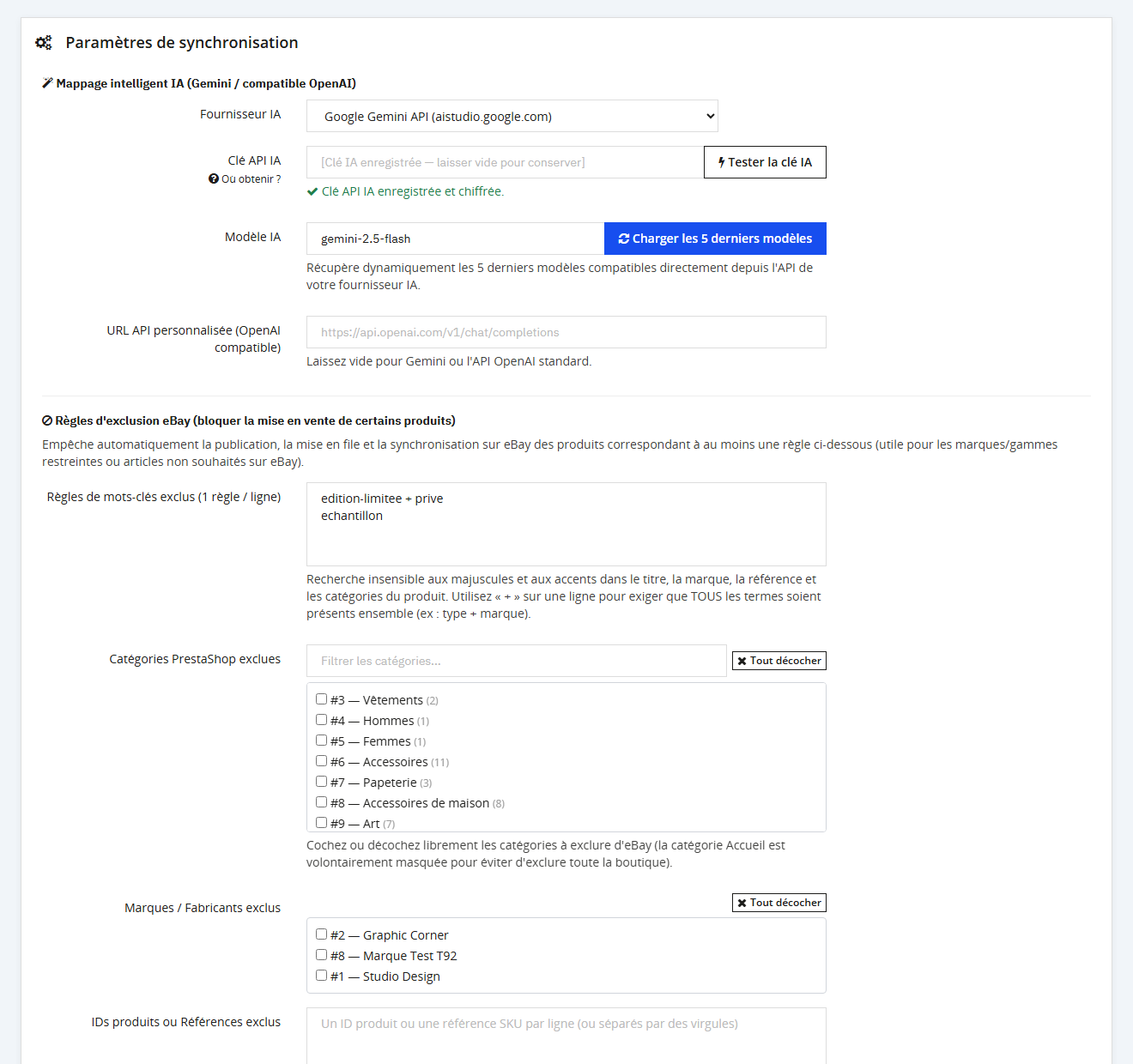
- AI Provider (100% optional, on-demand): connect your own Google Gemini API key (
aistudio.google.com) or any OpenAI-compatible provider (OpenAI, Mistral, Groq, OpenRouter). Keys are encrypted in DB; click Load latest 5 models to fetch models dynamically and Test AI key to validate. - Exclusion Rules: block specific products from ever being published or synced using case-/accent-insensitive keyword rules (use
+to require all words together on one line), excluded categories, excluded brands, or product IDs / SKUs. Preview blocked items in real time and unpublish already-live eBay listings in one click.
Need help getting started?
Our team answers your questions about installing and configuring the module.