
This step-by-step guide shows where to retrieve the credentials required in the Connection tab of Genisoft eBay Sync for PrestaShop 9 (App ID, Cert ID, RuName) and how to validate Marketplace Account Deletion compliance on developer.ebay.com.
Step 1 : Create an eBay Developer application and copy App ID & Cert ID
- Sign in (or register for a free developer account) on developer.ebay.com.
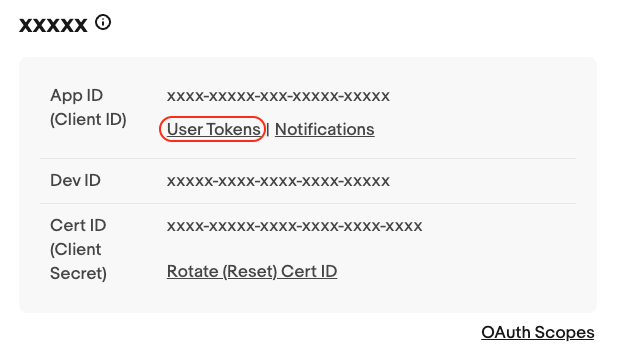
- Open your account menu in the top-right corner and select Application Keys.
- Enter an application title and create keys for your target environment (Production for your live seller account, or Sandbox for test accounts).
- Copy App ID (Client ID) and Cert ID (Client Secret) into PrestaShop (Genisoft eBay Sync > Connection).
- Click User Tokens right below your App ID.
Step 2 : Add an eBay Redirect URL (RuName)
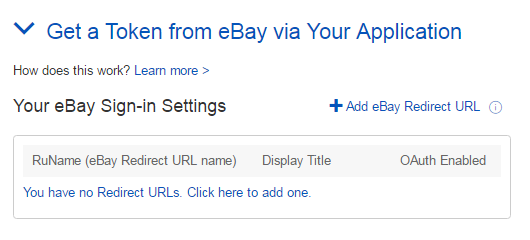
On the User Tokens screen, expand Get a Token from eBay via Your Application and click + Add eBay Redirect URL (or "You have no Redirect URLs. Click here to add one.").
Step 3 : Enter Your auth accepted URL and copy the RuName
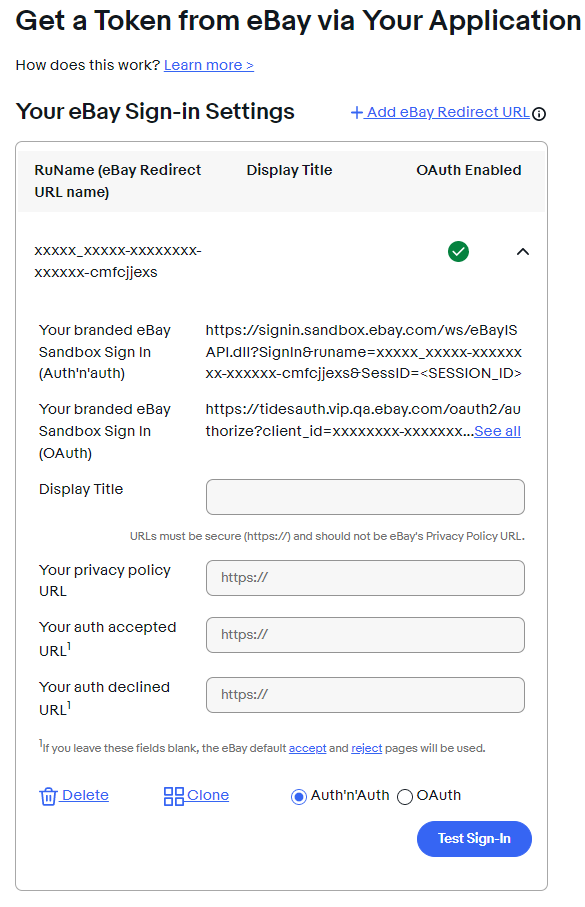
- From PrestaShop, copy the OAuth Return URL (Your auth accepted URL).
- Fill in Display Title, your HTTPS Privacy Policy URL, paste the callback URL into Your auth accepted URL, select the OAuth radio button (not Auth'n'Auth), and save.
- Copy the generated RuName (eBay Redirect URL name) into PrestaShop.
Step 4 : Configure Marketplace Account Deletion (Required for Production Keys)
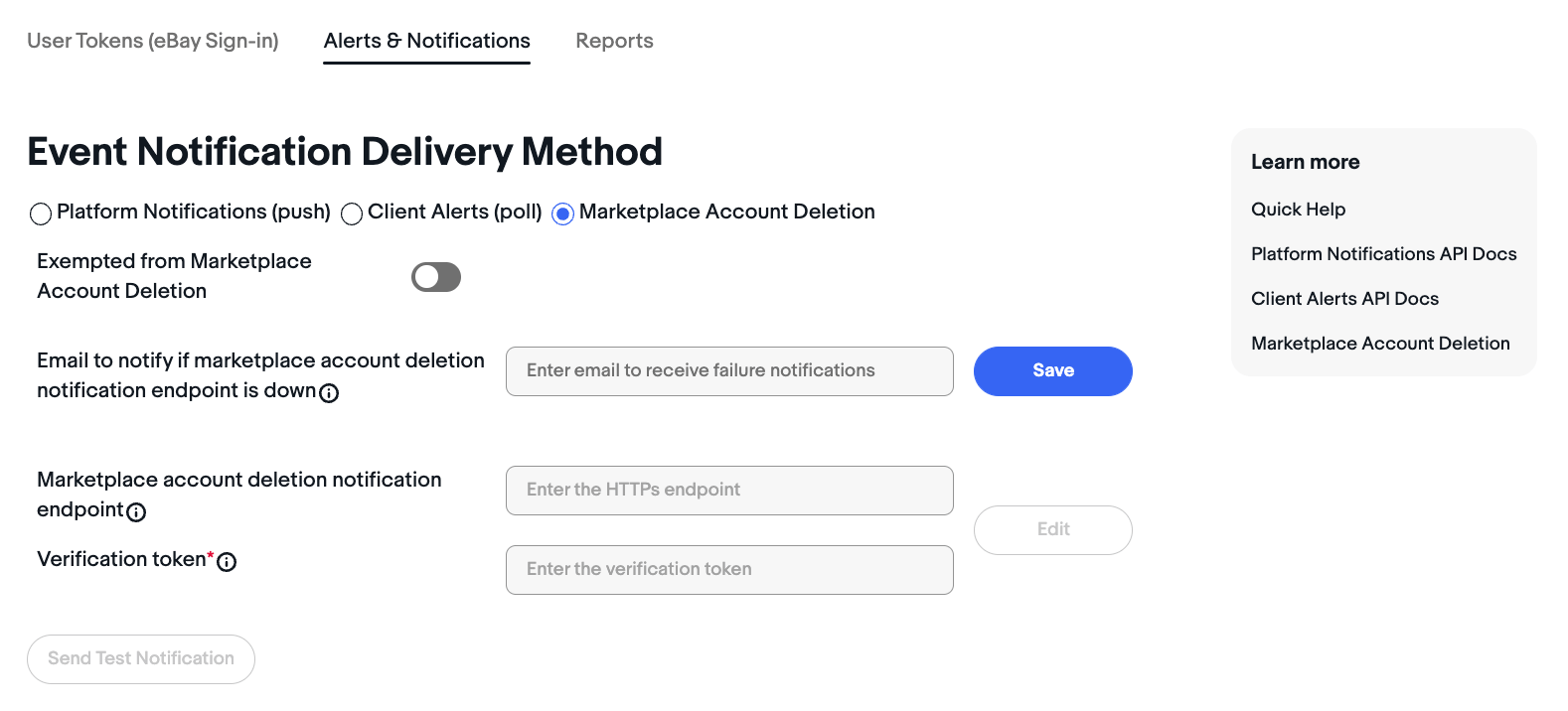
- Open Alerts & Notifications (the Notifications link next to User Tokens) and choose Marketplace Account Deletion.
- Save your failure notification email, then paste both the HTTPS Notification Endpoint and the 64-character Verification token displayed in PrestaShop's Connection tab, and click Save. The module automatically completes eBay's SHA-256 verification handshake.
Step 5 : Save Credentials & Authorize Your Store (OAuth 2.0)
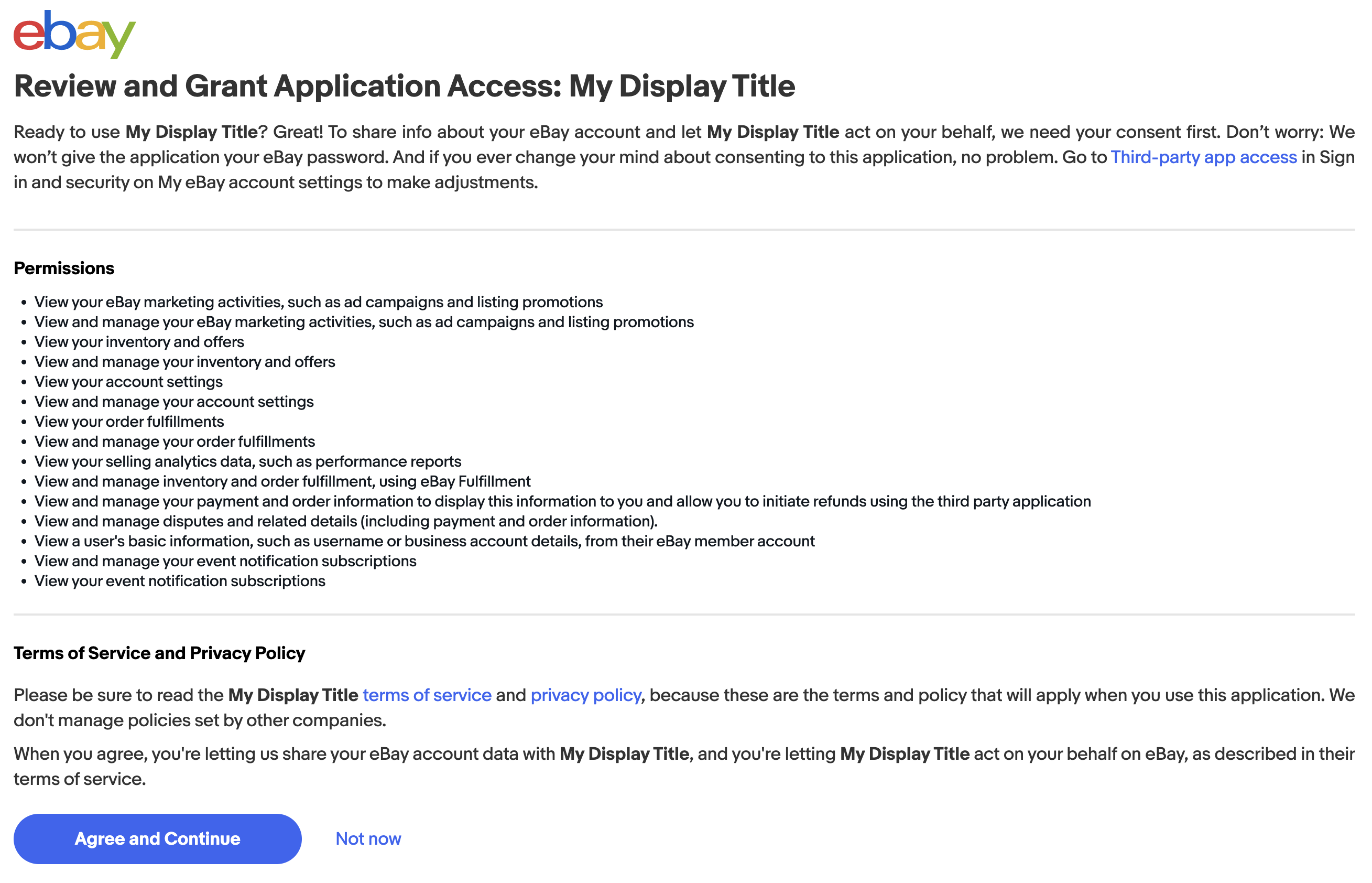
Save the credentials in PrestaShop, click Connect eBay Account, sign in with your seller account, and click Agree and Continue.
Step 6 : Settings, Multi-Marketplace, AI Mapping & CRON
Business Policies & Multi-Marketplace
In the Settings tab, check one or more marketplaces (FR, DE, IT, ES, GB), open each country pill, and click Reload Policies. Also enable Out-of-Stock Control in eBay Seller Hub so zero-stock listings remain paused instead of ending permanently.
Smart AI Mapping (Optional)
You can enter a Google Gemini API key (aistudio.google.com) or OpenAI-compatible key in Settings to automatically suggest category feature mappings and normalize SELECTION_ONLY values.
CRON Automation
Schedule the CRON URL shown in the Connection tab every 10 minutes on your hosting server to process queue jobs, sync stock/prices, import orders, and upload tracking numbers.
Our team answers your questions about installing and configuring the module.