
1. Products Tab : AI Duplicate Scanner & Catalog Synchronization
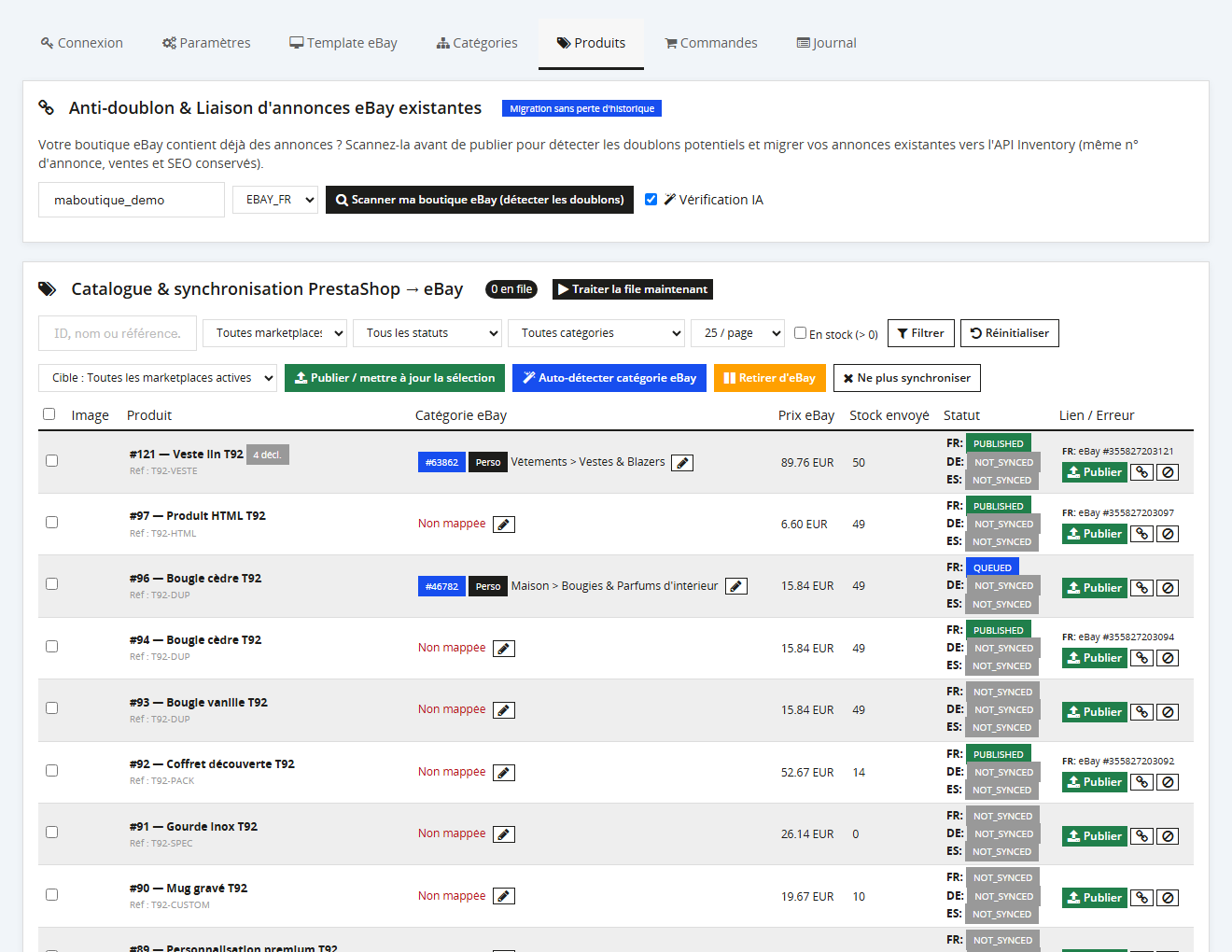
- AI Deduplication & Safe Migration: scan your active eBay store before publishing, enable AI Verification to eliminate false positives on non-identical titles, and click Migrate & Link high-confidence matches (≥ 85%) to convert legacy listings to the Inventory API while keeping the exact same eBay item number, sales history, and SEO ranking. Manual linking by item ID or URL is also available on every row.
- Per-Product Category Override (
Custombadge): ideal for mixed PrestaShop categories-edit or bulk Auto-detect eBay category per product without moving it in PrestaShop. - Live Queue Processor: click Process queue now to publish/update selected products with real-time progress bar, success/error counters, and a safe Stop button.
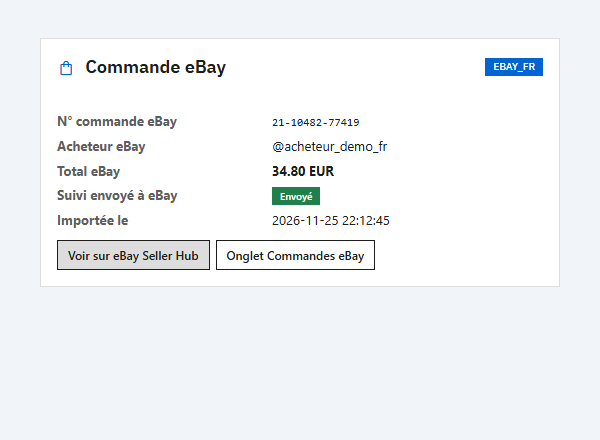
2. Orders, Live Preview, Tracking & PrestaShop Order Side Card
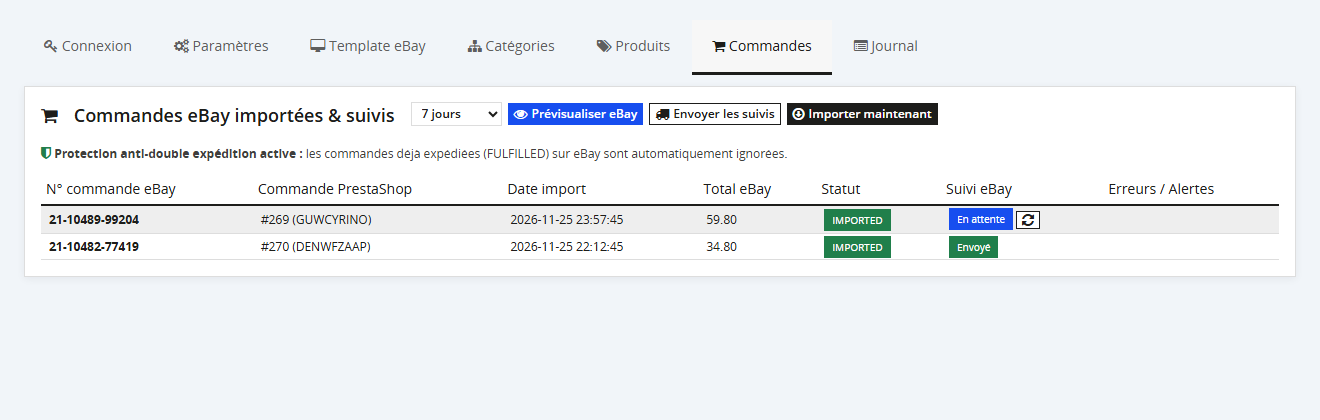
- Read-Only Live Preview: inspect eBay orders over the last
24 hoursto90 daysbefore importing-see product/variation matches, stock levels,IOSS / eBay VATbadges, and status (ready,already imported,blocked,skipped) with a manual Import anyway override. - Email Protection & Auto Tracking: blocks PrestaShop customer emails to eBay proxy addresses (
@members.ebay.*) and automatically sends tracking numbers + official eBay carrier codes on shipment.
3. Technical Log & Quick Troubleshooting
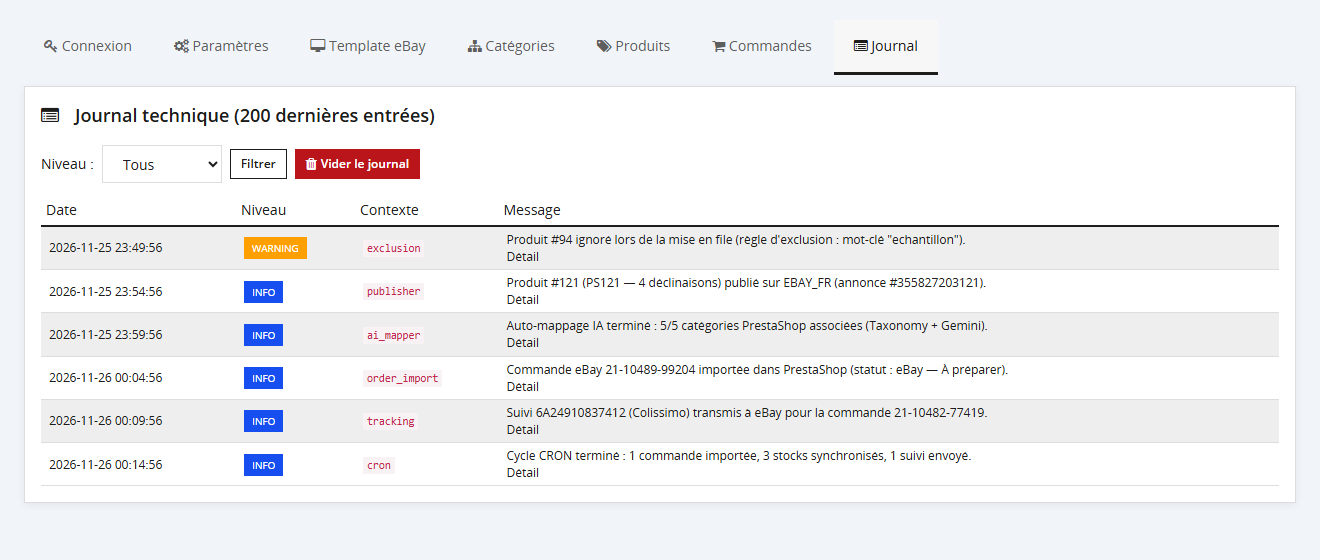
The Logs tab stores the latest 200 events filterable by INFO, WARNING, and ERROR with expandable payloads.
- Business Policies required: opt in to Business Policies on eBay Seller Hub, then click Smart auto-map business policies in Settings.
- Missing location key: select or create your warehouse in Settings > eBay Item Location.
- Required Aspect /
SELECTION_ONLYerror: open the category in Categories > Configure and run AI Smart Mapping. - CRON HTTP 401/403: ensure no
.htaccesspassword or firewall blocks the CRON endpoint, or use thecurlheader command from the Connection tab.
Need help getting started?
Our team answers your questions about installing and configuring the module.